

LessonChime for Windows
LessonChime is a calm, reliable lesson companion created for online teachers using a Windows computer. It runs quietly in the background, monitors your teaching schedule, and gives you clear reminders at the moments that matter most.
With live countdowns, lesson-start alerts, and finish-up reminders, you can stop worrying about the time and give your full attention to every student.


How LessonChime Works
Choose the Schedule Method That Works for You
Add Lessons Manually
Enter your lesson time and student details directly into LessonChime. This is ideal if you want a simple, independent schedule without connecting a calendar.
Use a Google Calendar Link
Add a shareable Google Calendar Link and let LessonChime read your scheduled lesson times. Your upcoming lessons can then appear in your schedule and trigger the reminders you need.
Connect Your Calendar
Choose manual lesson entry or add a shareable Google Calendar link... whichever suits the way you teach.
See Today’s Schedule
View completed lessons, your current lesson, and upcoming students in one clear, simple schedule.
Prepare for Your Next Lesson
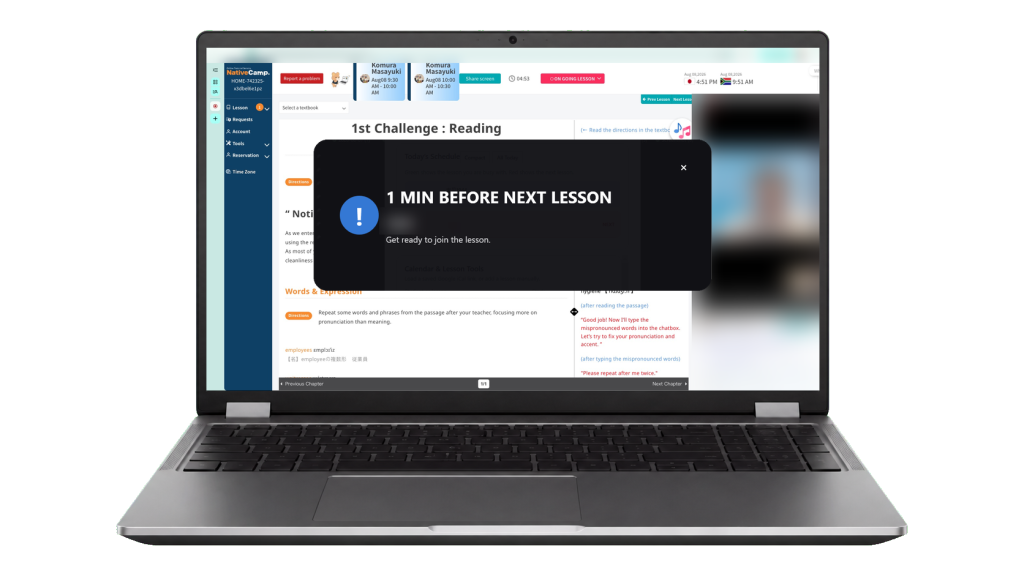
A live countdown shows how much time remains before your next lesson, giving you time to open your teaching platform and prepare.
Start and Finish on Time
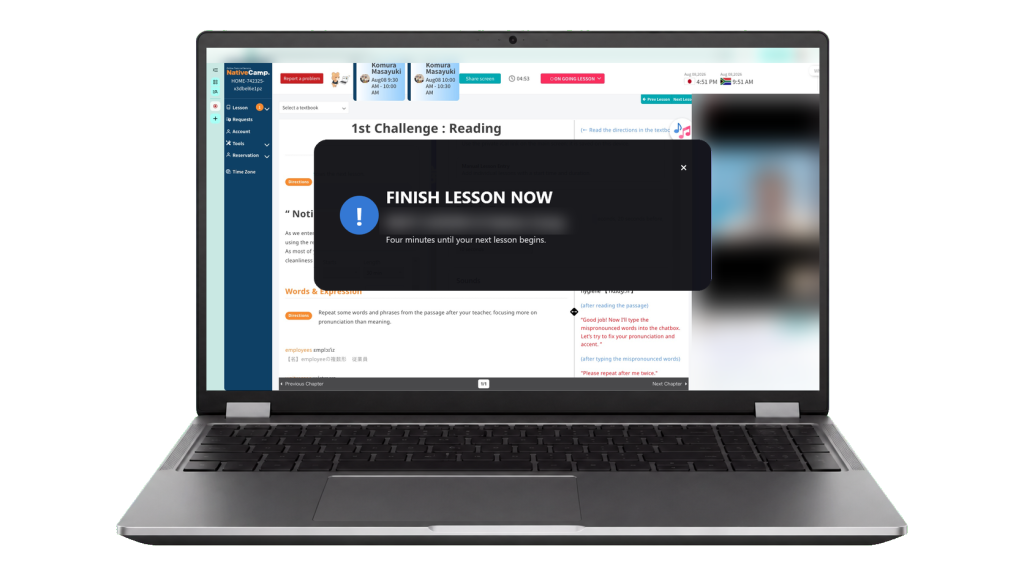
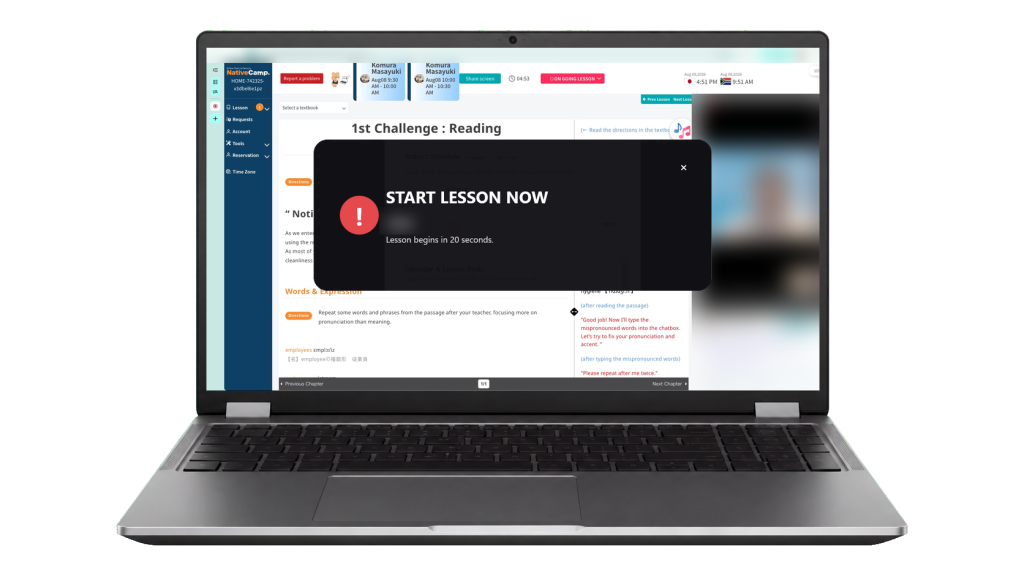
Clear START NOW and Finish Up alerts help you begin promptly, manage back-to-back lessons, and move calmly to your next student.
Key Features
Everything You Need to Stay On Time
LessonChime has been designed around the real pressures of teaching online. It gives you the important information at the right time, without clutter or complicated tools.
Smart Reminders
Receive early prompts before each lesson, giving you time to get organised before your student arrives
Live Countdown
See exactly how long remains until your next lesson begins.
Finish Up Alert
A timely reminder to wrap up your current lesson and stay on schedule.

START NOW Alert
A clear, impossible-to-miss alert when it is time to begin.
Today’s Schedule
See completed lessons, your current lesson, and what is coming next at a glance.
Next Lesson Preparation
See who is next and how much time you have to prepare.
Setup
Ready in a Few Minutes
Download
Download LessonChime for Windows 10 or Windows 11.
Install
Open the downloaded installer, follow the setup steps, then activate your licence.
Add Your Lesson Schedule
Connect your available calendar or add lessons manually—whichever works best for your teaching day.
Allow Notifications
Allow notifications so LessonChime can display its preparation, START NOW, and Finish Up alerts.
Choose Your Settings
Check your reminders and preferred settings, then let LessonChime quietly support your teaching day.
Back-to-Back Lessons
Back-to-Back Lessons Shouldn’t Take Over Your Day
When one lesson runs over by only a few minutes, it can affect everything that follows. You may begin wondering whether you started the last lesson on time, worrying about your next student, or constantly checking the clock instead of focusing on the lesson in front of you.
LessonChime helps take that pressure out of your head. It keeps you aware of your schedule with calm reminders, clear alerts, and live countdowns, without demanding your attention all day.
You can focus on the student you are teaching, secure in the knowledge that LessonChime will let you know when it is time to prepare, start, and finish.
User Guide and Support
Need a Hand Getting Started?
LessonChime is designed to be simple, but help is always available. The User Guide explains installation, Calendar access, notifications, the daily schedule, and every reminder type step by step.
If you need personal assistance, contact us at support@lessonchime.com.
Designed to Stay Out of Your Way
LessonChime runs quietly from your menu bar while you teach. There is no complicated dashboard to manage and no need to keep checking the clock. Simply set up your schedule, let LessonChime monitor the time, and focus your attention where it belongs—on your students.
One Payment. Lifetime Licence
One Payment. Lifetime Licence. Founding Launch Price: $29
LessonChime is a one-time purchase for your Windows computer or laptop. There are no subscriptions, no monthly fees, and no complicated plans.
Download it, set up your schedule, and teach with the confidence of knowing you will be ready for every lesson.
